---
description: Auto organize uploaded files from JetEngine Forms into FileBird folder
---
# JetEngine
This tutorial helps you get the file upload from the JetEngine plugin into the FileBird folders via JetEngine Form.
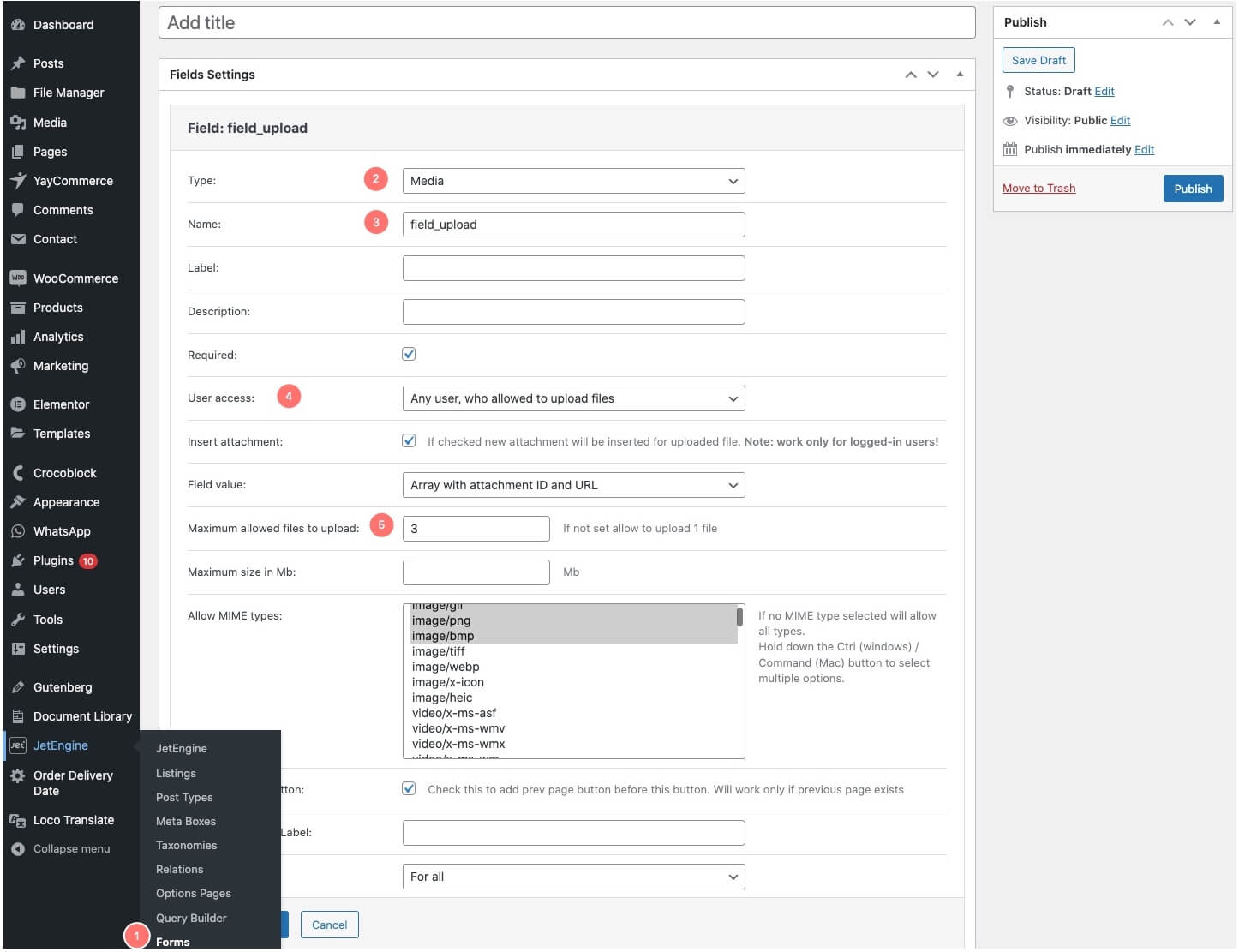
1. Go to JetEngine -> Forms to create a form.
2. Navigate to Field Settings.
* In the Type field, please choose **Media**
* Name **File\_upload** in the name field or any name that your users can recognize its purpose.
* You can choose who can see, and upload the files in the User Access setting.
* Input the maximum allowed files to upload.
* Choose which type of MIME you allow to upload into the form, and so on...
Create a Form in JetEngine
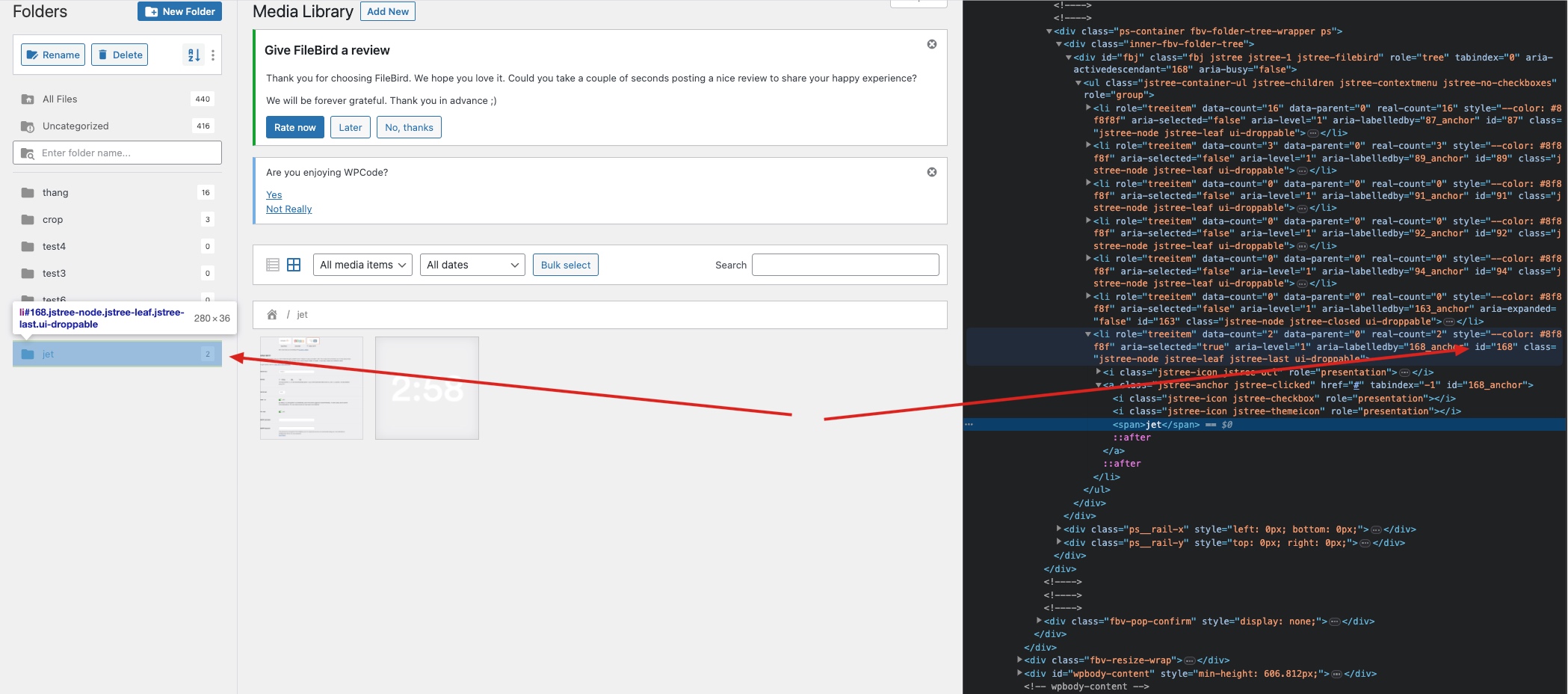
3. Use Browser Inspector to get the FileBird's folder ID, which will be used to add the files after the form submitted. \
How to get the FileBird's folder ID
4. Add the functionality to integrate FileBird with JetEngine Form. You might use WPCode or add it to the theme functions.php
```
use FileBird\Model\Folder as FolderModel;
add_action('jet-engine/forms/handler/after-send', function($data, $success ){
$files = $data->form_data['file_upload'];
if (is_array($files)) {
foreach ($files as $file) {
FolderModel::setFoldersForPosts($file['id'], 168);
}
} else {
FolderModel::setFoldersForPosts($file['id'], 168);
}
}, 10,2);
```
\
That's it. Now, you have all the uploaded files in the FileBird Media Folder successfully.
{% hint style="danger" %}
Note: In this function, we get the file upload from the field “file\_upload” in $data->form\_data\[‘file\_upload’], the “file\_upload” must be the same name with the field we created above, and the FileBird's folder ID is ‘168’.
{% endhint %}